Give Thanks November


give thanks reason1

Did you realize that if you have a Gmail account, you’re already on Google+? To get to your profile, simply log into your Gmail account, go to the upper right corner, click on the image on the far right, then click Google+ profile. It’s that simple. Be sure you’ve uploaded a nice head shot and filled out the About section as descriptively as possible. It’s so nice having such quick and easy access to a social media account.
give thanks reason2

Other social networks have become so large and overpopulated that it’s hard to have meaningful conversations. Well, meaningful conversations is where Google+ excels. While a major social network, Google+ is still relatively small, making it a lot easier to chat with others, and to reach potential clients and influencers.
give thanks reasons3

On Google Plus, there are no friend requests. Simply add or remove whomever you want from your circles at any time.
give thanks reasons4

The coolest thing about Google Plus? Circles. Circles actually mimic real-life relationships. It is a natural way to manage your friendships. Choose from Friends, Family, or Acquaintances, and add your own categories to better organize how you connect with others. With Circles you can choose to post to a specific group, or allow all of your Circles to see. Awesome.
give thanks reasons5

As the reigning King of Online Search, Google is THE place for you to create a page for your business. It will increase the visibility of your business and your ranking.
give thanks reasons6

Google Plus has one thing Facebook and Twitter do not have…their own browser (Chrome).
give thanks reasons7
G+ lets me assign a privacy level to the content that I share at the moment that I share it. Safer sharing rocks.
give thanks reasons8

Google’s “data liberation” feature means you can pack up your data and go at any time. You can download the data associated with your Google Account to take with you to another service, or simply to keep a copy for your own records. How cool is that?! Learn how here: http://bit.ly/1uxYKmW.
give thanks reasons9

Google owns YouTube, the second largest search engine in the world. When you create a YouTube channel you immediately also have a Google account. Connecting your account to your YouTube channel will ensure your videos are predominantly featured on Google+ and vice versa. Crossing social networks is huge.
give thanks reasons10

Google Hangouts is a communication platform developed by Google which features instant messaging, video chat, SMS and VOIP features. With Hangouts, you can have a one-on-one conversation with a friend, or be a part of a large group conversation. Start a hangout with your friends or just learn more about the best group messaging app available today here: https://hangouts.google.com/

Was this article helpful or informative? Please Like or Share. Thank you!

[fb_button]


Facebook marketing blog

Power of the Boost

Recent changes to Facebook’s privacy policy and overall rule system are certainly making life difficult for entrepreneurs. The company’s policies around advertising one’s business on the social network has (once again) changed. If businesses don’t pay Facebook to boost their status, business pages will not be getting their message out. Previously, a business owner would boost a status to spread the word to more people. But, beginning in mid-January, the social network will intensify its efforts to filter out unpaid promotional material in user news feeds. Because of this new rule, even if the page has thousands of fans, a status may never be seen unless it has been boosted. Basically, any business who relies on free status marketing will suffer.

Revamp Your Marketing Budget

Facebook warned of this in early November 2014 when they explained that the practice of businesses posting free marketing pitches or reusing content from existing ads will suffer “a significant decrease in distribution” once the new policy rolled out. The average small business owner can not afford to pay thousands of dollars to promote their content each month, or, at the very least, will need to reevaluate their marketing budget to account for these changes. Considering that more than 80% of small companies who use social media to promote their businesses list Facebook as their top marketing tool, this new policy means a major shift in many social media marketing plans.

The Truth About Online Marketing Campaigns

Many business owners are going to need to look elsewhere for effective and affordable options. Facebook stands to lose a lot of small business entrepreneurs as doing business on the social network becomes more expensive. So why are they doing it? Facebook’s vice president of small business, Dan Levy, explained the reasoning behind this move. He claims Facebook’s paid-advertising options have become more effective over time. He suggests companies view Facebook as a tool to “help them grow their businesses, not a niche social solution to getting more reach or to make a post go viral.” Organic reach, Levy says, is only one of several reasons companies benefit from having a presence on Facebook. The network has over 1 billion hits per month. Just by being on the network, the likelihood that your business will be found increases. This makes sense, and many small-business owners say they accept that they will have to pay to market their businesses on Facebook. Any good marketing campaign costs money. When looking at an online marketing strategy, the use of free online marketing campaigns has not always resulted in positive responses. Todd Bairstow, partner at the online-marketing firm Keyword Connects, explains that the strategy of attracting fans and “likes” on Facebook using unpaid posts “ultimately failed for almost everyone we know.” Facebook may help “spread the word”, but using the network to market your business is not going to necessarily result in sales or new business.

What Are My Options?

This leaves small business owners with a decision to make. Do you restructure your marketing budget to include paid promotions on the network where you’ve built your brand and have a strong following? Or do you search for other options? Many are focusing their efforts and online marketing budgets now on boosting their Google rankings. This is a more complicated process, as well as more time consuming, but the overall results may be better for small business owners. For more information on how to best utilize search engine optimization, visit Google’s page dedicated to this topic by clicking How a Google Search Works.  Some business owners may choose to leave Facebook altogether and focus their time and energy on other outlets. Google Plus is option. Not only has G+ grown to over 540 million active members, it has the power of the Google search engines behind it, resulting in posts showing up in a Google search. Also, it’s known to generate as much brand engagement as Facebook.

Whatever you decide, just make sure it’s something that you can afford and can commit to. There are many options out there. Now’s the time to make informed decisions for both yourself and your business. Good luck!

google-plus-vs-facebook-logoYou’re already using a Facebook business page to market your business, so why consider moving to Google+? You have a limited amount of time to dedicate to social media marketing, and with over 1 billion users, you figure Facebook gives you the best opportunity for expose your brand to potential clients. Well, you’re partly right. More people are on Facebook, which means more exposure for your brand. And Google+ seems similar to Facebook. Why do both? For one, a lot of people want to escape the clutter of Facebook. Also, Google+ is a huge social network with over 540 million users using at least one Google+ service. So even if it is not as big as Facebook, it’s still pretty big. Plus, it offers features that Facebook does not for your business. Such as:

The Ability to Manage your Page with Circles

Circles place groups into categories. This allows you the ability to market your brand to the appropriate category. You can create a category for clients, another for professional peers who you can engage in conversations with, and another for employees. These are just a few samples. Many more exist. The main idea here is Circles gives you better control and allows you to exercise a more targeted marketing strategy than Facebook does.

The Communities Feature

Communities allows groups to form around a particular interest. What’s great is, unlike Facebook, Google+ allows you to join a community as a brand, which in turn allows you to interact with potential customers and engage in conversations.

Hangouts

This is a completely unique feature that allows you to directly engage in group meetings, discussions, or demonstrations. Businesses can use Hangouts to organize a discussion explaining a product or service, then archive that Hangout and upload it to YouTube (which, by the way, integrates very nicely with Google+). Other ways to utilize Hangouts are hosting a webinar or offering a free consultation.

SEO

With Google+, you have the power of Google’s search engines behind you, making it easier to connect to the more than 1 billion people who use Google to search online every day. Google+ also integrates well with any of the marketing your business does with Google. Plus, what G+ Profile and G+ Business Pages bring is pages which can be indexed in search results. This means that these Google+ pages will show up in the results, if optimized correctly, for your brand keyword. Also, it extends your local reach. Google directs traffic from Google Maps to the Google+ community. Now people can get directions, recommendations from friends and even host events from a Google+ Local page, all by adding your local business to Google My Business.

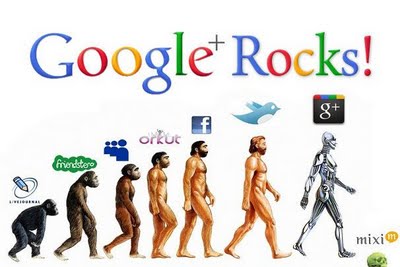
google plus rocks

So now that you know Google+ rocks, have I convinced you to at least give it a try? Good. Below are some tips on getting started on Google+:

  • Create a Personal Profile Just like Facebook, you need to create a personal profile before you can have a business page.
  • Create a Page Carefully select your business category since you will not be able to change it later. If you want your business to show up on Google Maps, be sure to select “Local Business or Place.”  Next, add a tagline and a profile photo (250 x 250 pixels), preferably a logo or image that portrays your brand.
  • Customize Your Page Make sure your cover photo clearly represents your business. Completely fill in the “About” section. Add links to all of the places you are active on the web, including your website. Add photos and videos to enhance the page. The more engaging the content, the more followers you’ll get.
  • Start Posting Decide what message you want to send out and start posting on your page. Set goals for what you want the page to do. Establish those goals, then develop a plan to make it happen.